

Despite the shared word, the decision log is unrelated to decision events. Decision events are runtime assignment events the SDK emits; the decision log holds governance decision records — approvals, ramps, promotions.
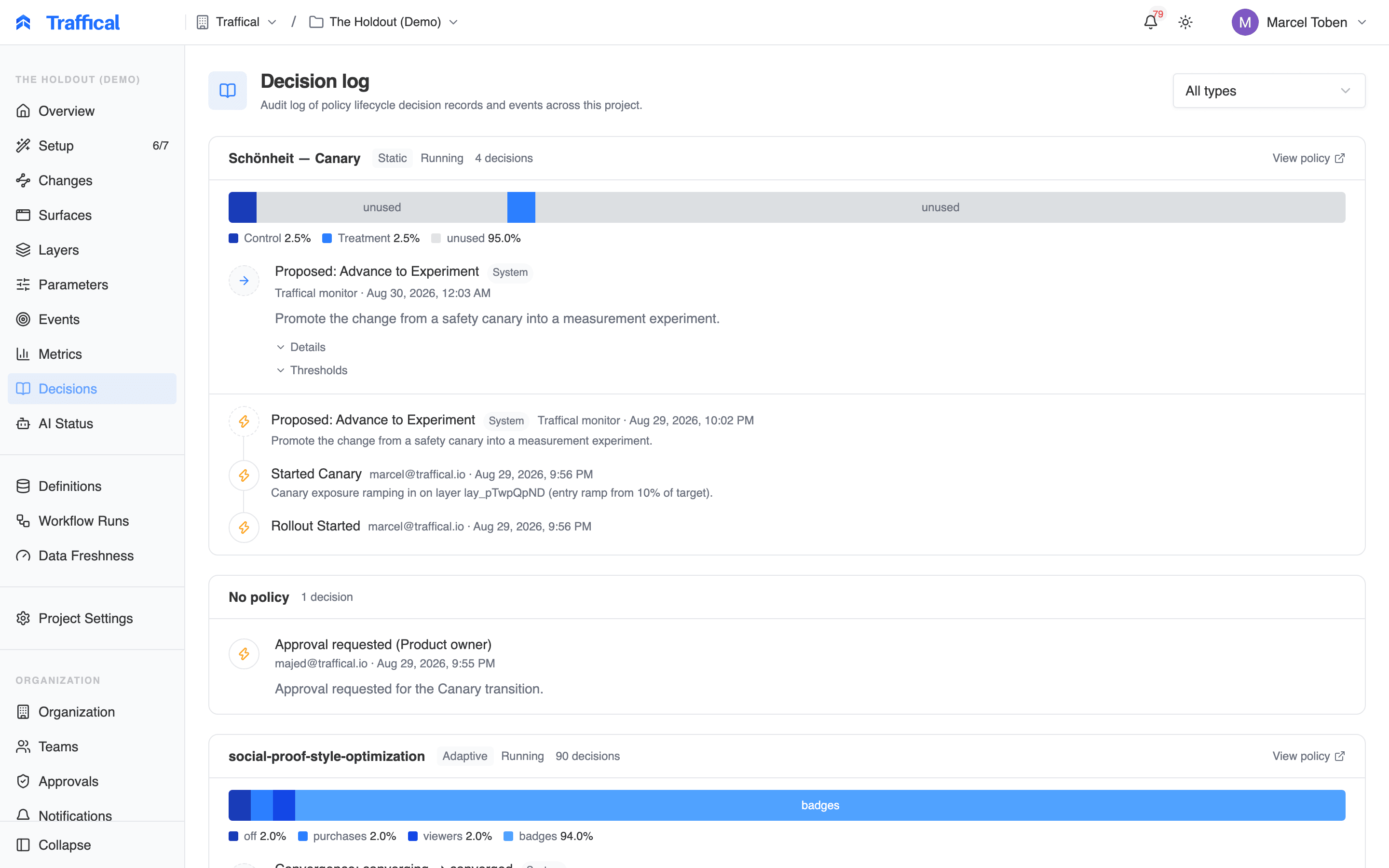
Decision log
What gets logged
The log captures decision records across all kinds of policies — static, adaptive, per-entity, contextual — and both human and automated actions.
When Changes is enabled, every transition on a change — start, advance, promote, complete, revert — writes a decision record to this same log, citing the evidence it was based on. A change’s Decisions tab shows those records scoped to that change.
Actors
Every decision record has an actor:
This is how you tell the difference between “Alice paused the policy” and “the scheduler paused the policy because a health check failed”.
Reading the log
Each entry shows:- Timestamp
- Decision type
- Actor (with profile photo for users)
- Policy / parameter / metric affected — clickable to navigate
- Reason — free-text rationale, often supplied at action time
- Evidence — structured data about what happened (e.g. before/after allocation ranges, metric value, threshold)
- Outcome — for actions that have a binary result (rollout step succeeded vs failed)
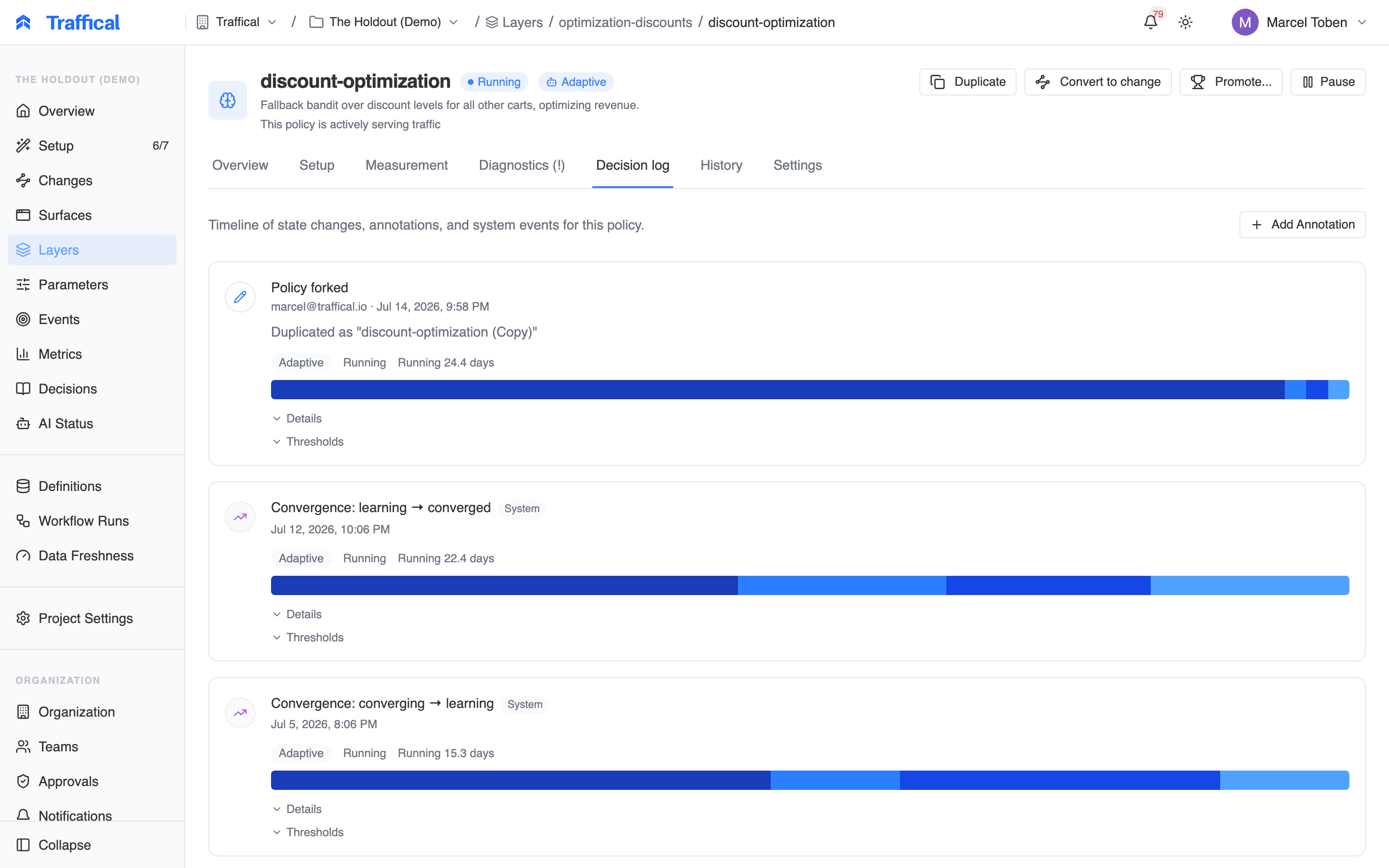
Decision detail
Filtering
Filter by:- Policy (one or many)
- Actor (a specific person or “system only”)
- Decision type
- Time range
Annotations
You can attach a free-text annotation to a decision record after the fact. Useful for adding context: “we paused this because the support team flagged a regression, see ticket TR-1234”. Annotations are visible to anyone with project access and become part of the audit trail.API access
The decision log is also available via the management API for export to your own systems (data warehouse, SIEM, ticket tracker). See your dashboard’s API documentation for endpoints.Best practices
- Write reasons. When you take a manual action — pause a policy, override an allocation — type a short reason. Three months later, future-you will thank present-you.
- Watch for system pauses. A flurry of
rollout_health_violationfollowed byrollout_pausedmeans automation did its job. Investigate the metric that triggered it. - Don’t rely on it for debugging SDK issues. The decision log captures platform changes. For SDK-level debugging (which user got which assignment), use the DevTools bookmarklet or query exposure events directly.
Next steps
Layers & policies
Where most actions originate.
Rollouts
Understanding health-violation triggers.