

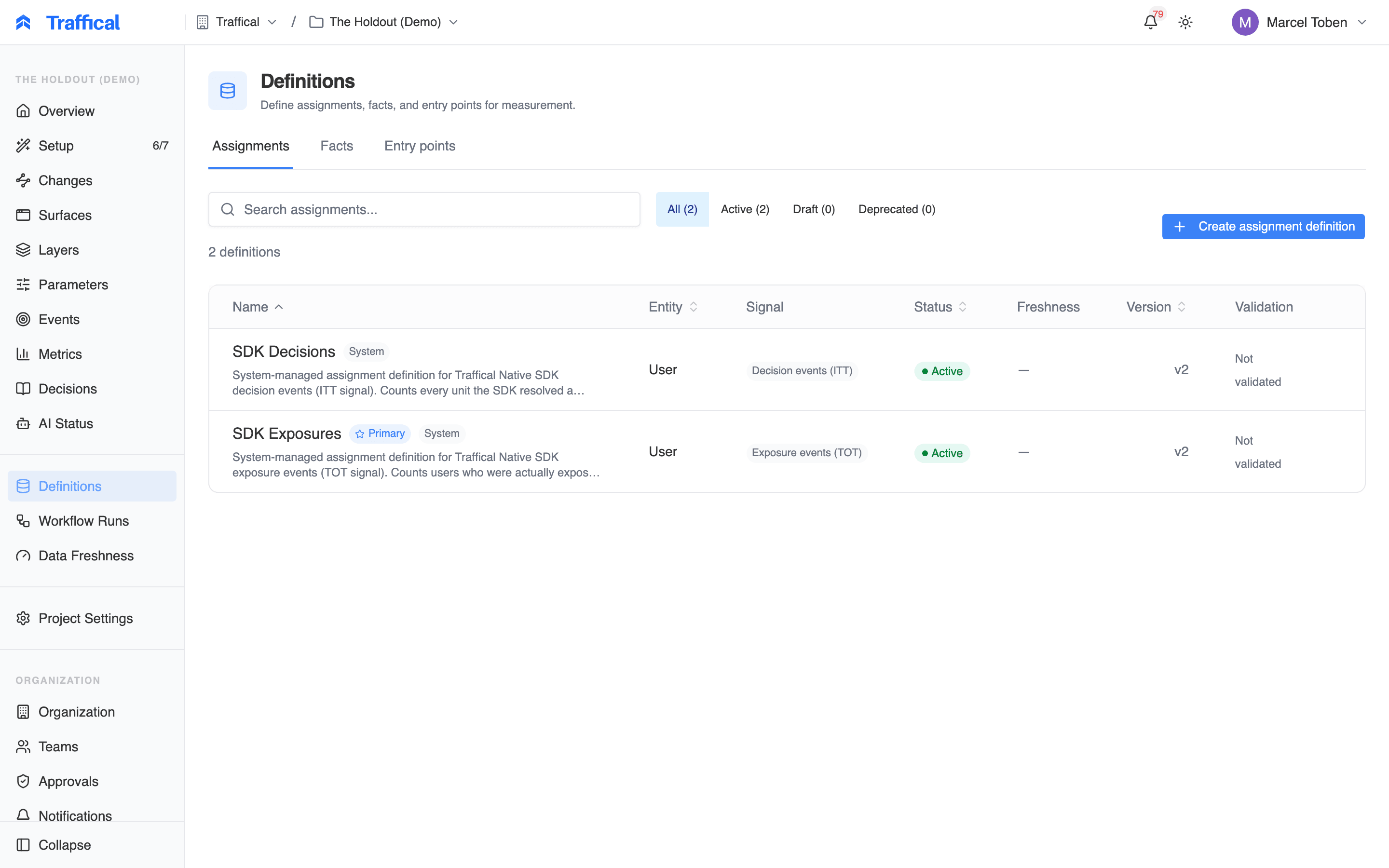
Definitions overview
Entities
An entity is the unit of randomization — User, Company, Device. Each entity has akeyType that matches the project’s unit key.
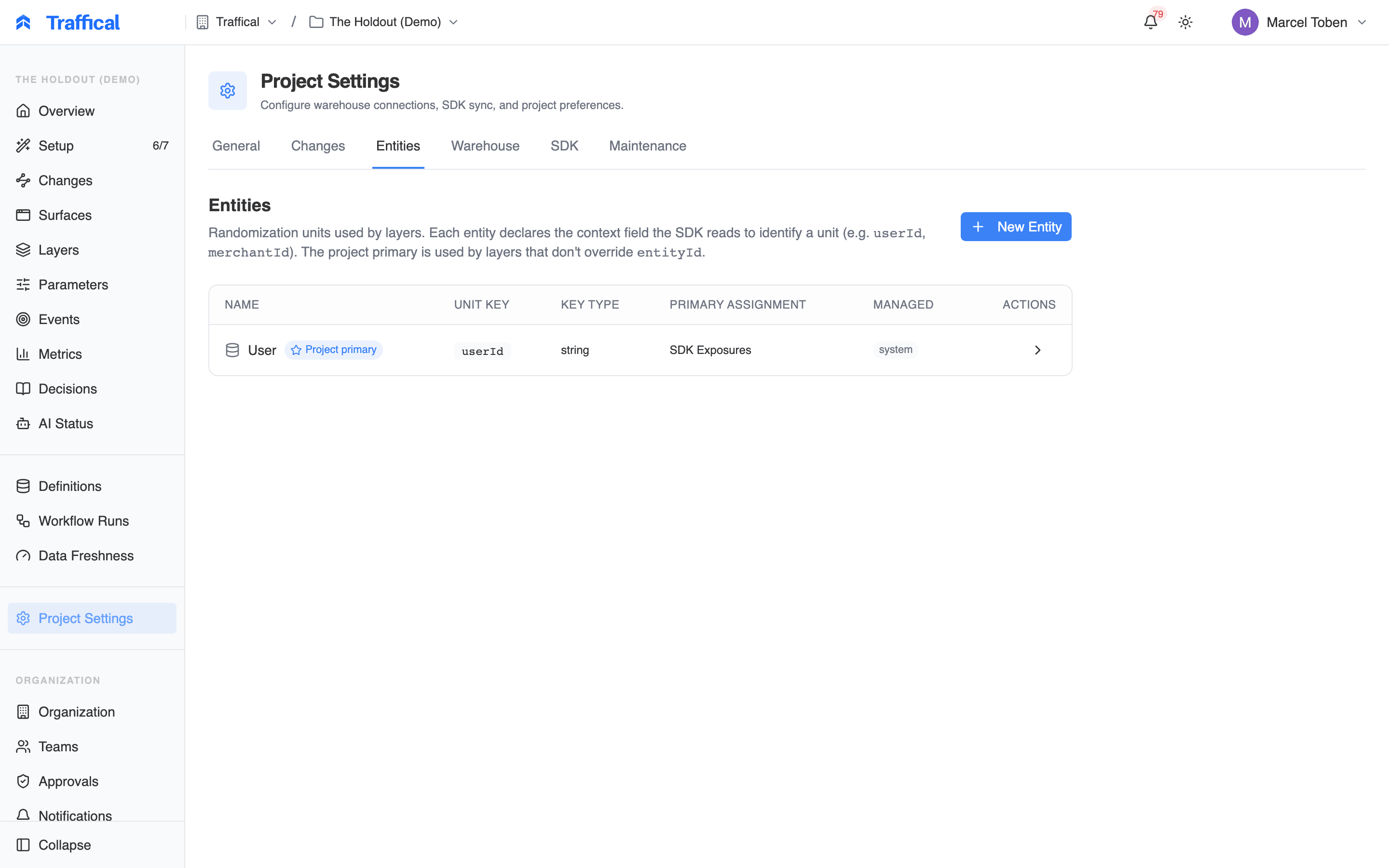
Entities list
user keyed on userId). B2B / multi-tenant projects often have two (user and company). Defining an entity is a one-line action — name, key type — and is rarely revisited.
Assignments
An assignment definition is the SQL that produces the unit → allocation mapping for warehouse-native measurement.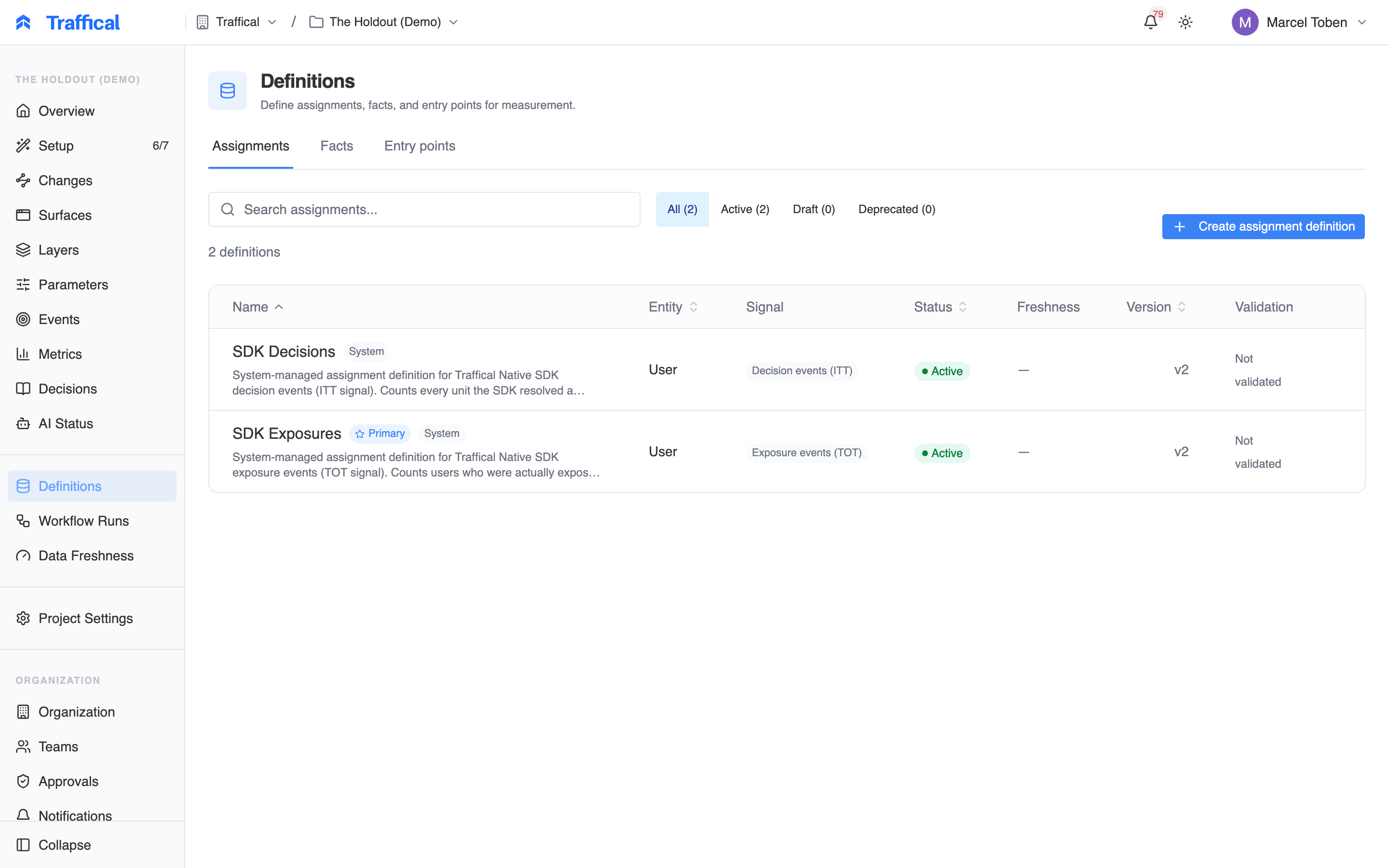
Assignments list
- Name
- Entity it’s keyed on
- Source — SQL (warehouse) or SDK-managed (auto-generated from the SDK’s decision and exposure events)
- Signal — the analysis signal the rows carry: decision, exposure, or mixed
- Last run timestamp and status
Creating an assignment definition
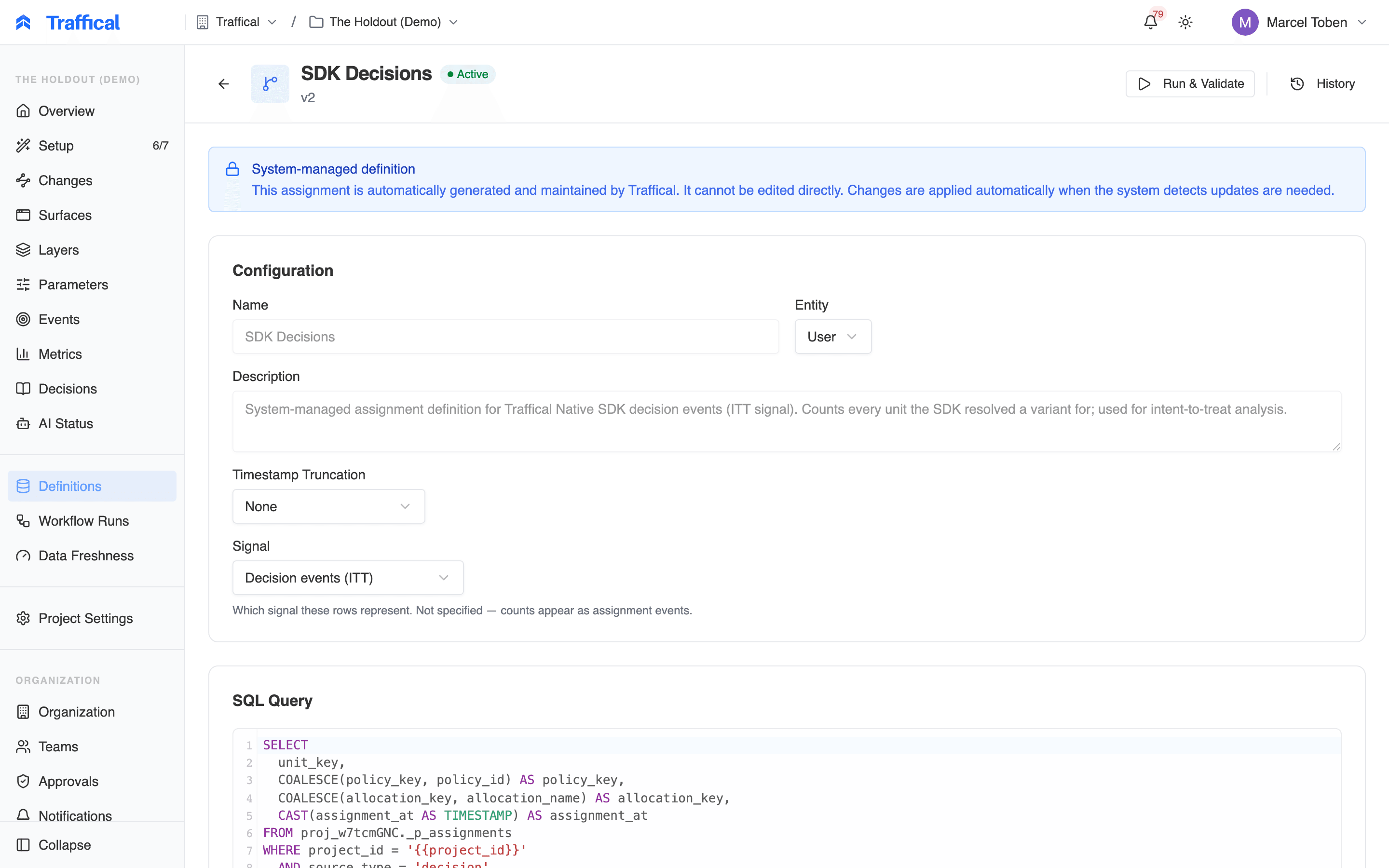
Assignment editor
- Name the definition
- Pick the entity (user, company)
- Pick the warehouse connection
- Write the SQL. It must return columns: the entity key (e.g.
user_id),assigned_at,policy_key,allocation_key. Use{{start_date}}and{{end_date}}template variables for time scoping. - Set the Signal — declare whether the rows are decision events (intent-to-treat) or exposure events (treatment-on-the-treated). If the source holds both kinds, map a
source_typecolumn and declare the signal as mixed. - Preview — the dashboard runs a small
LIMIT 10sample to verify the columns and types.
policy_key column values must match key fields on Traffical policies. The allocation_key values must match allocation key fields. This is how the pipeline knows which Traffical policy the warehouse data corresponds to.
Facts
A fact definition is the SQL that produces outcome events.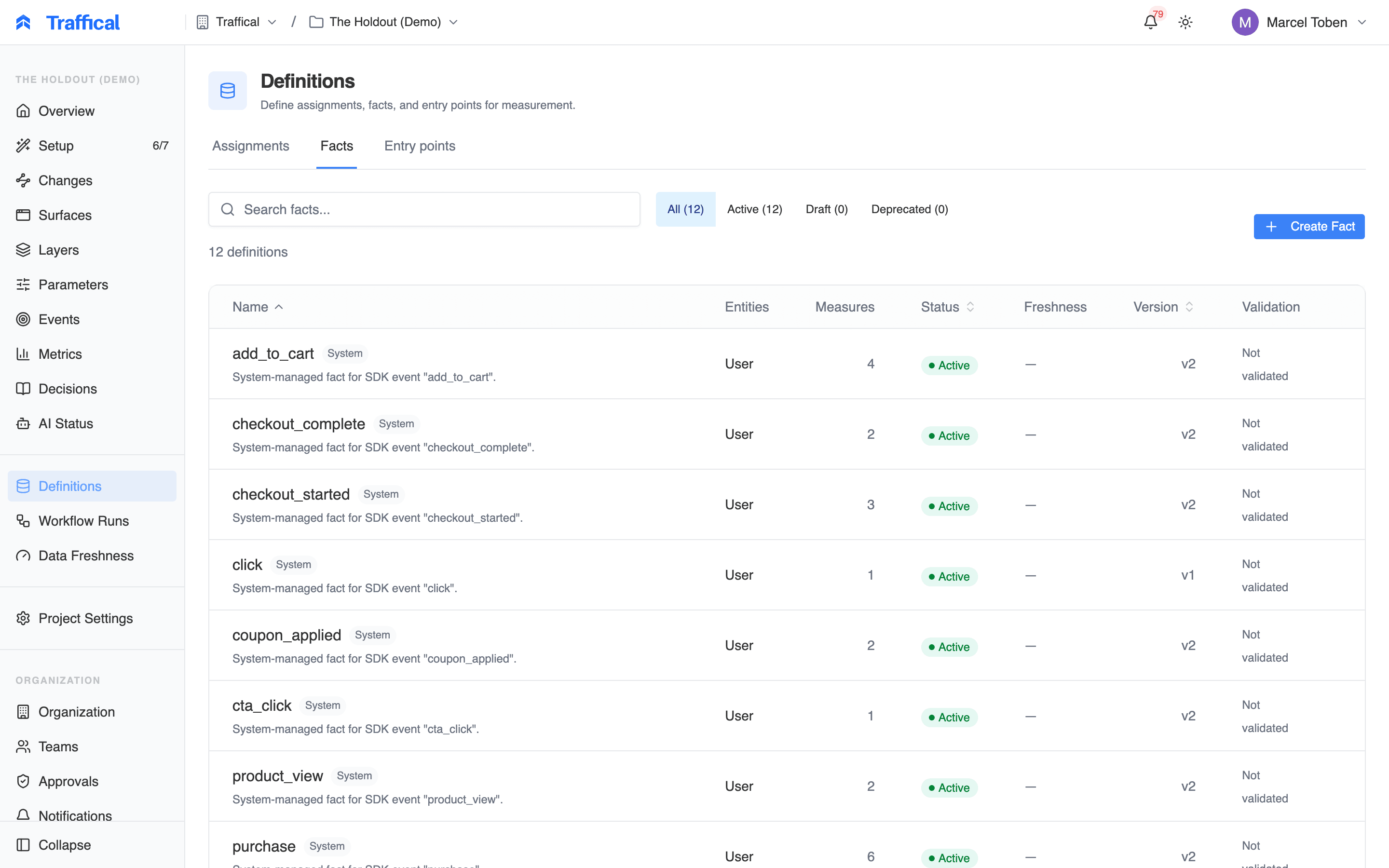
Facts list
orders fact can be aggregated into “revenue per user” (sum), “conversion rate” (proportion with any order), and “order count” (count). The fact is the data; the metric defines the aggregation.
Creating a fact definition
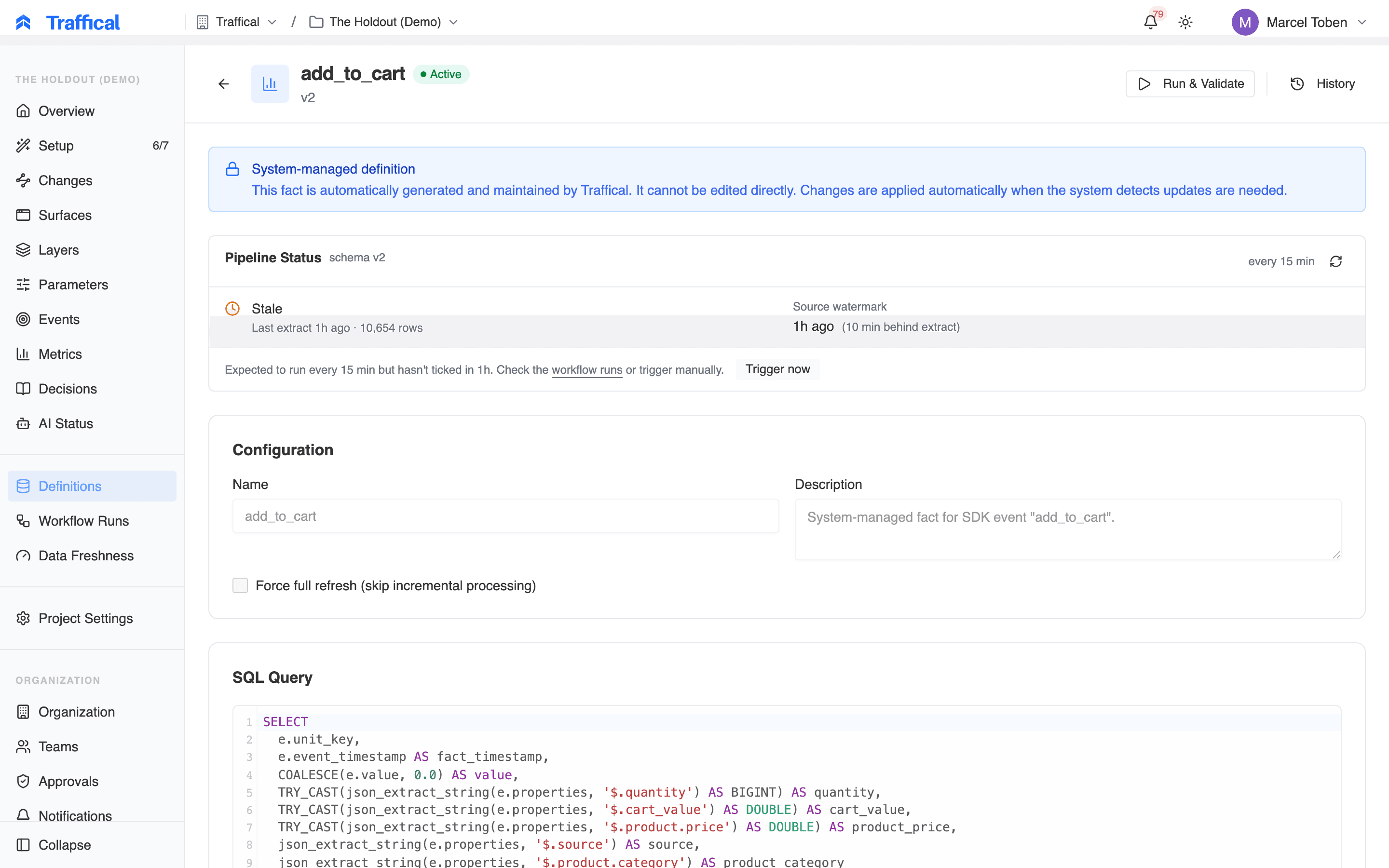
Fact editor
- Name the definition
- Pick the entity (user, company — what each row is associated with)
- Pick the warehouse connection
- Write the SQL. It must return the entity key, an
event_time, and any value columns you want to aggregate (e.g.order_total). - Preview — sample query against the warehouse to verify columns and types.
user_id and company_id) — useful for SaaS metrics measured at the user level but randomized at the company level.
Validation and previews
When you save a definition, the dashboard runs a small query against your warehouse to:- Verify the connection works
- Confirm the columns exist with the expected types
- Show a sample of the data so you can sanity-check
Next steps
Warehouse-native
The conceptual model.
Connectors
Per-warehouse setup details.
Metrics
Turning facts into measurable metrics.
Pipeline
Watching the SQL run.