

billing:manage permission, which only the Owner role carries — an admin doesn’t see it. See Roles & permissions.
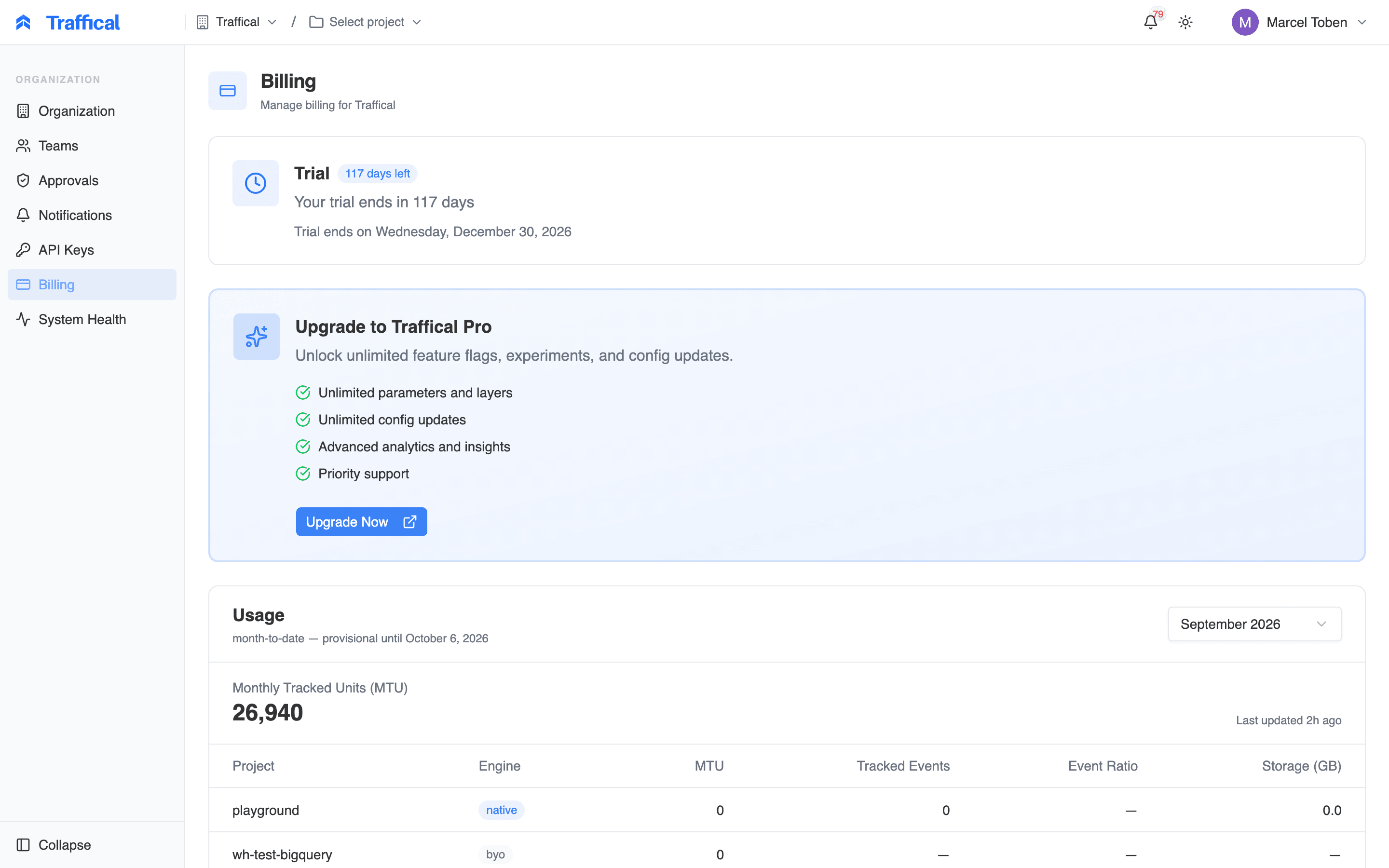
Billing page — plan status and usage
How usage is measured
Traffical meters usage in monthly tracked units (MTU): the number of distinct units — users, companies, devices, whatever your project randomizes on — that received at least one policy assignment during a calendar month (measured in UTC). Concretely, a unit is tracked in a given project and month when its unit key appears on at least one assignment from a policy — an A/B test, a rollout, or an adaptive policy allocating traffic on a layer. Each unit counts once per project per month, no matter how many assignments it receives or how many policies it passes through.What doesn’t count
- Serving defaults. A unit that fetches configuration and only receives parameter defaults — because no policy applies to it — produces no policy assignment and is not tracked.
- Events alone. Track events don’t count toward MTU. A unit that sends events but receives no policy assignment that month is not tracked. (Event volume is reported separately — see native project extras.)
- Repeat activity. The count is distinct units, not assignment volume. A unit assigned a thousand times in a month is one MTU.
How projects roll up
MTU is counted per project, and the organization total is the sum across projects. The same user active in two projects counts once in each. Assignments from every environment of a project count, so keep synthetic or load-test traffic out of environments you keep around long-term. The same counting rule applies whether Traffical stores the project’s data or the project runs against your own warehouse — in both cases it’s distinct units with a policy assignment in the month.Reading the usage view
The Usage card shows one month at a time. Use the month selector to switch — the current month is selected by default, with up to five prior months available. The headline number is your organization MTU for the selected month, with a Last updated stamp showing when the numbers were most recently computed; usage refreshes regularly through the month. A month’s numbers are provisional while it’s in progress and for a few days after it ends — late-arriving data can still land. The card labels the month month-to-date with the exact date it finalizes (five days after month end), and final once that date passes.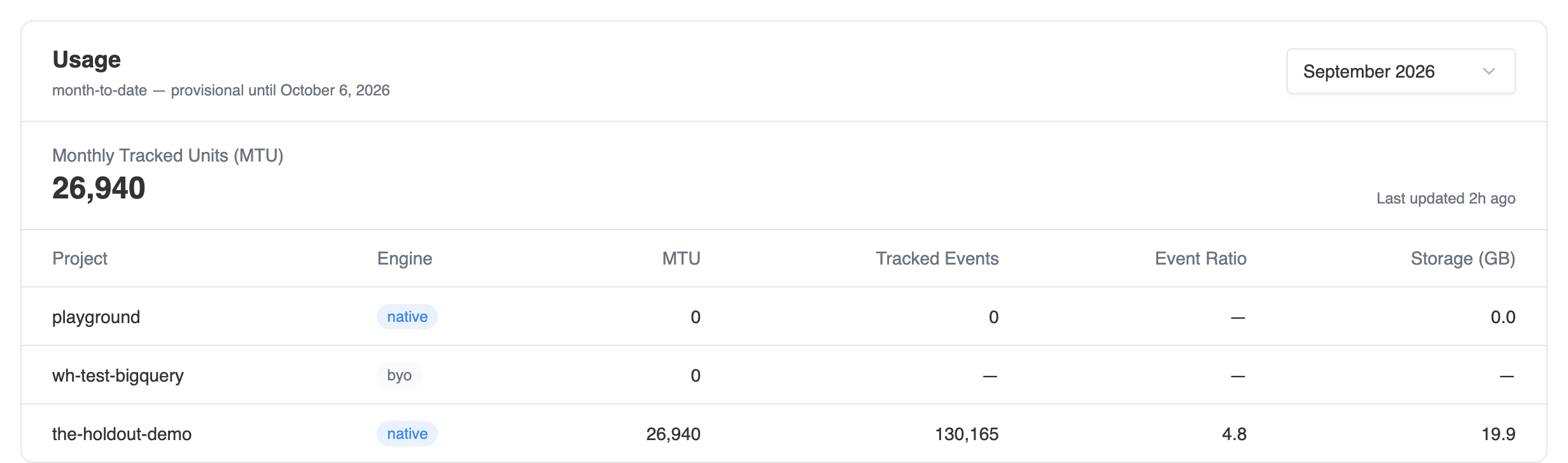
Per-project usage breakdown
Native project extras
Fornative projects, three additional columns report fair-use telemetry:
- Tracked Events — total track events received that month.
- Event Ratio — tracked events divided by MTU: the average events per tracked unit. Useful for spotting a runaway instrumentation loop before it becomes a conversation.
- Storage (GB) — the size of the project’s managed event storage. This is a point-in-time snapshot, not a monthly total: the current month shows a live value, and past months keep the last snapshot taken before the month closed.
byo projects, which store their own data.
Managing your plan
The status card at the top of the page shows where your organization stands:- Trial — you’re in a free trial; the card shows how many days remain and the end date.
- Active — your subscription is active.
- Frozen — your trial has ended or your subscription has lapsed. Your SDKs keep serving the last published configuration, but configuration changes are paused until you upgrade. Nothing breaks in production; you just can’t ship changes.
This page covers how usage is measured, not what it costs — plan pricing lives on the Traffical website, and your invoices are always available in the billing portal.
Next steps
Decisions & attribution
What an assignment is and when one is recorded.
Roles & permissions
Who can see billing, and what each role grants.
Projects & environments
How projects and environments are organized.
FAQ
Common questions, including usage and metering.