

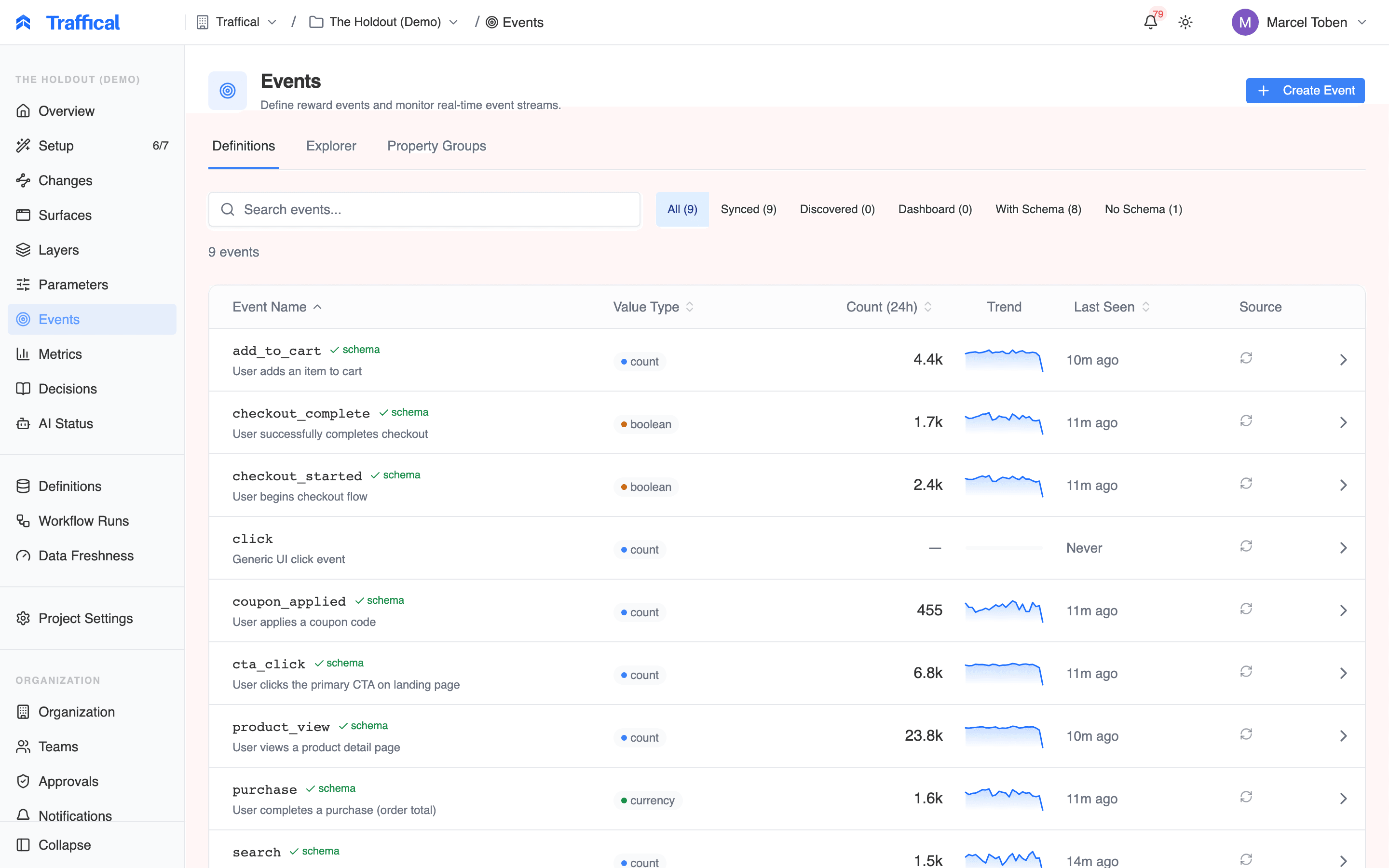
Events list
The events list
Each row shows:- Name — the event identifier
- Value type —
currency,count,rate,boolean - Recent volume — events per hour
- Schema status — number of properties,
schemaEnforcementmode, violation rate - Source —
synced(CLI),dashboard-only, orauto-discovered
Event detail
Clicking an event opens its detail page with several tabs.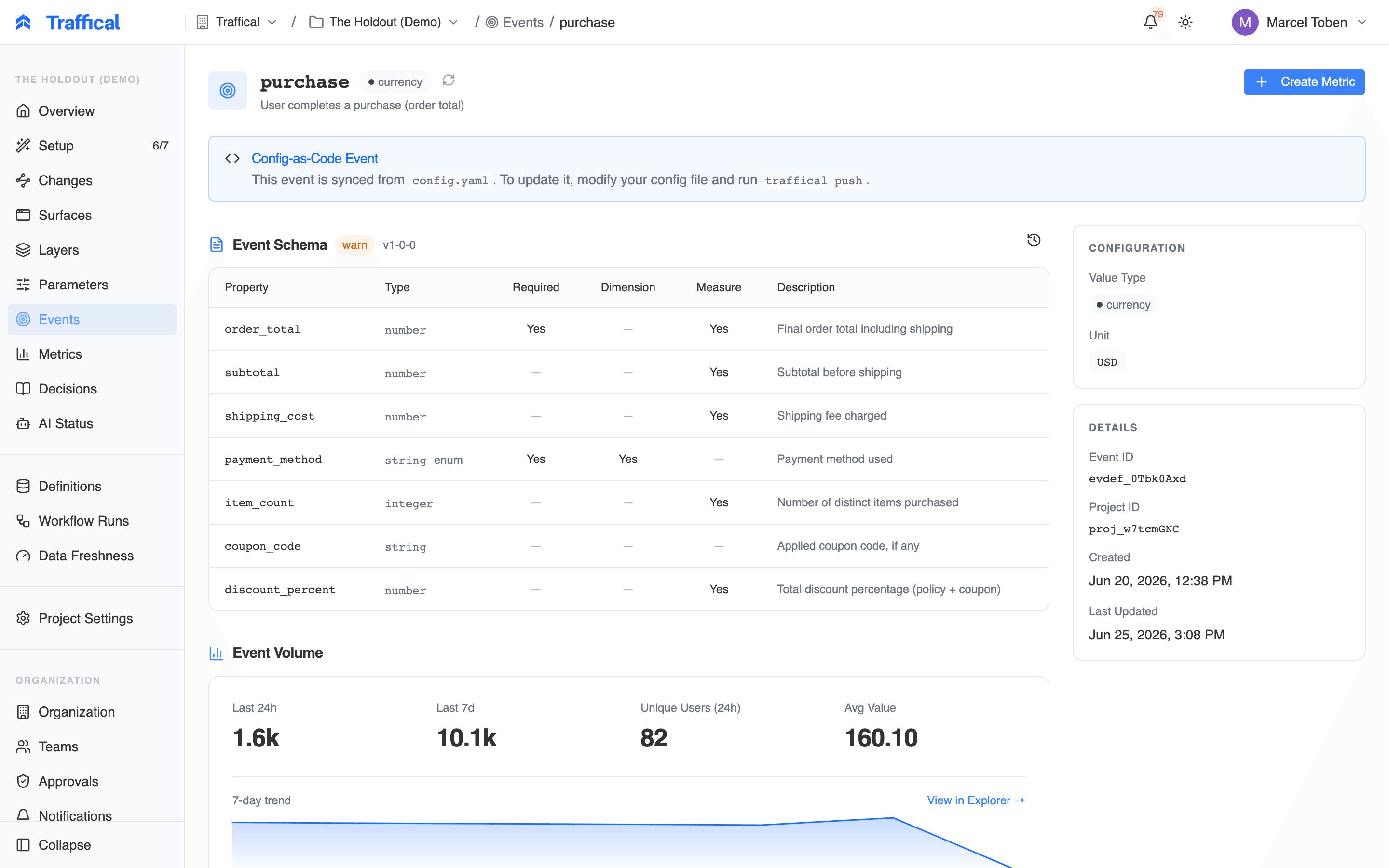
Event detail — overview
Overview
- Value type, unit, description
- Schema version and enforcement mode
- Volume sparkline
- Top properties by usage
- Currently-attached property groups
Properties
The list of declared properties with their types, constraints, anddimension: true flag.
If the event is synced from .traffical/config.yaml, properties are read-only — edit them in code. If it’s dashboard-only, you can add, edit, or delete properties here.
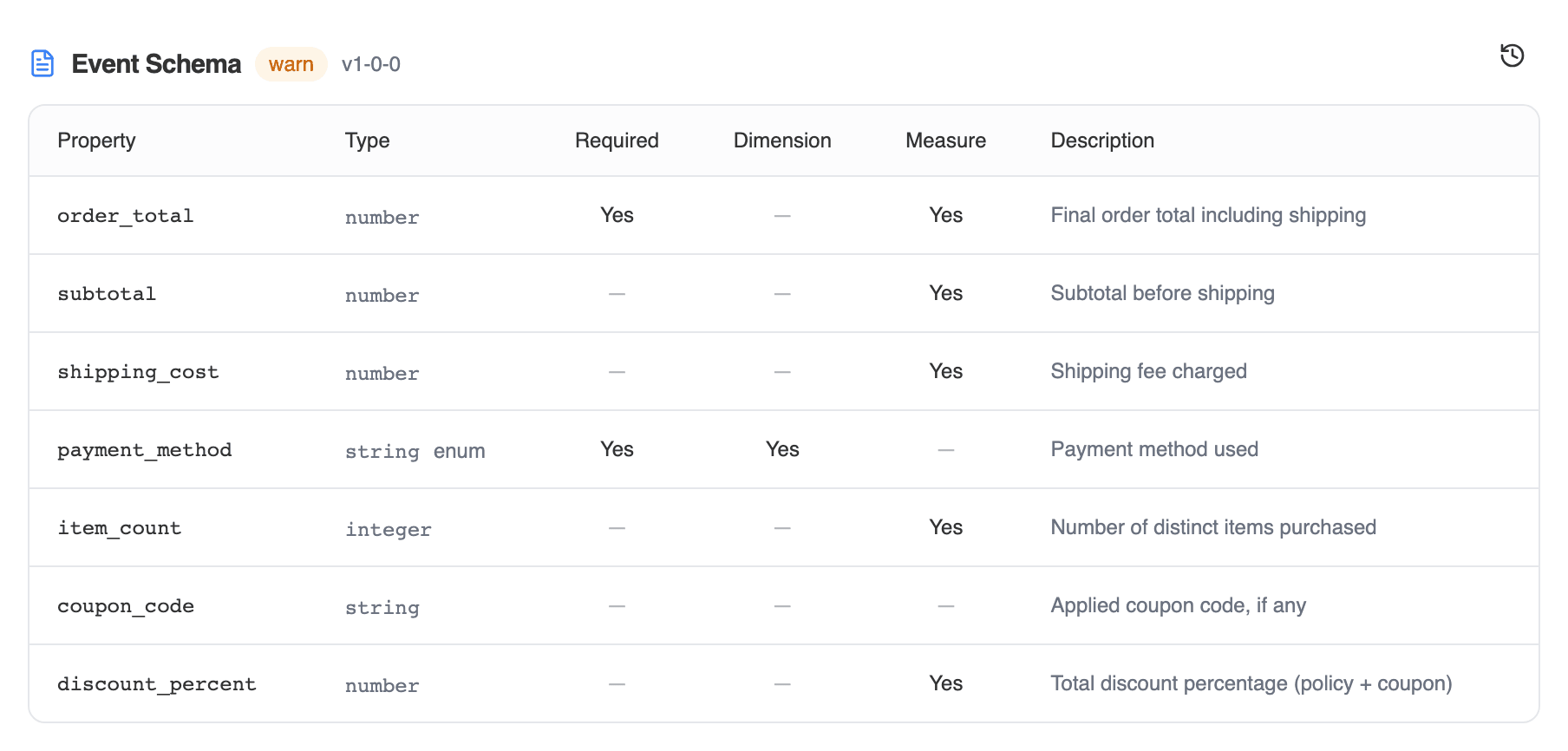
Event detail — properties
Violations
IfschemaEnforcement is warn or reject, the violations tab shows:
- Total violations in the last 24 hours / 7 days
- Breakdown by property and violation code
- Sample payloads for each violation type

Schema violation diagnostics
track() code before promoting schemaEnforcement to reject.
Schema versions
The full version history of the event’s schema with diff between consecutive versions. Old events validated against old versions are still readable; new events validate against the current version.Property groups
The Property groups sub-page lists all property groups in the project.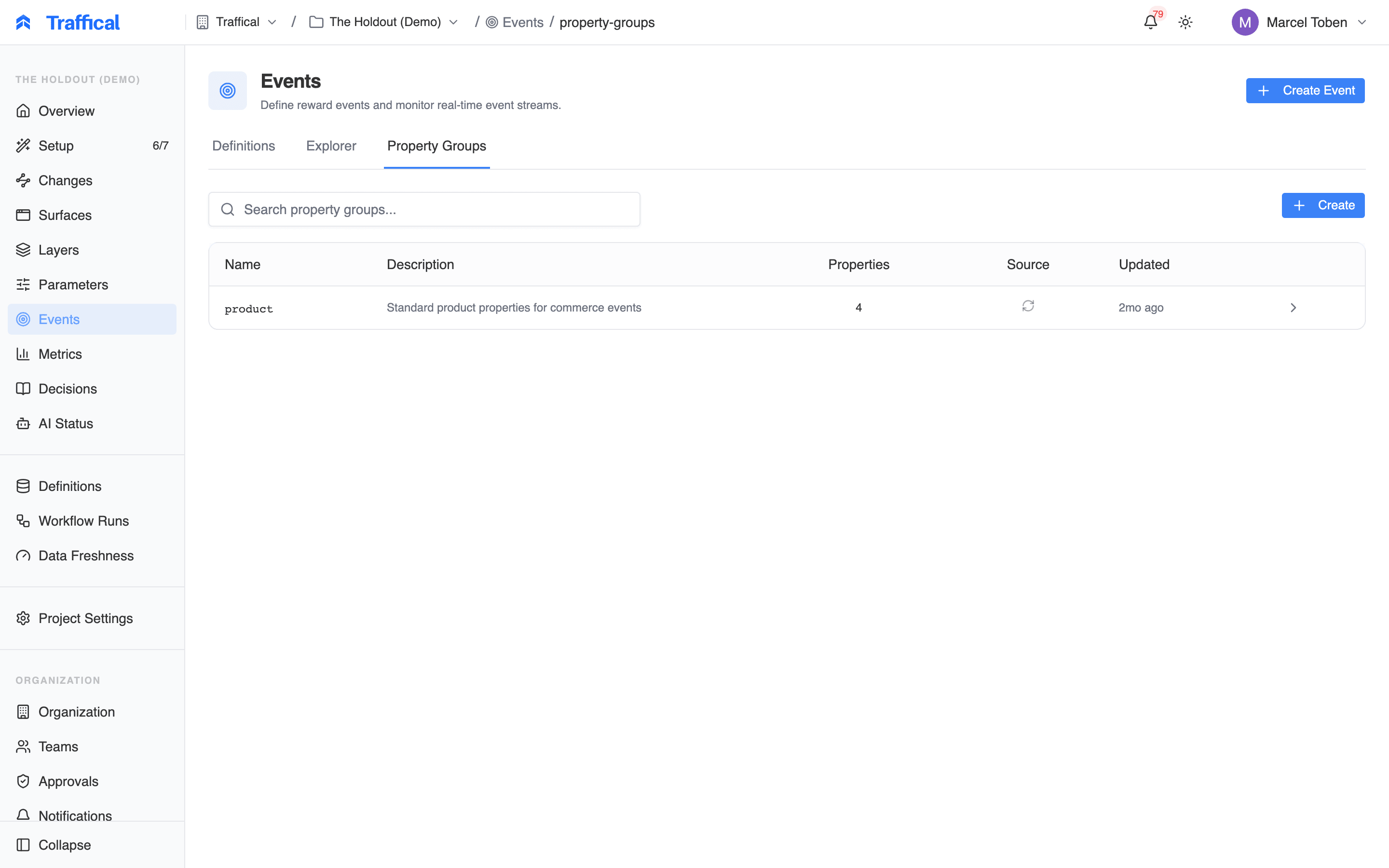
Property groups
Event explorer
The explorer lets you query event volume by dimension.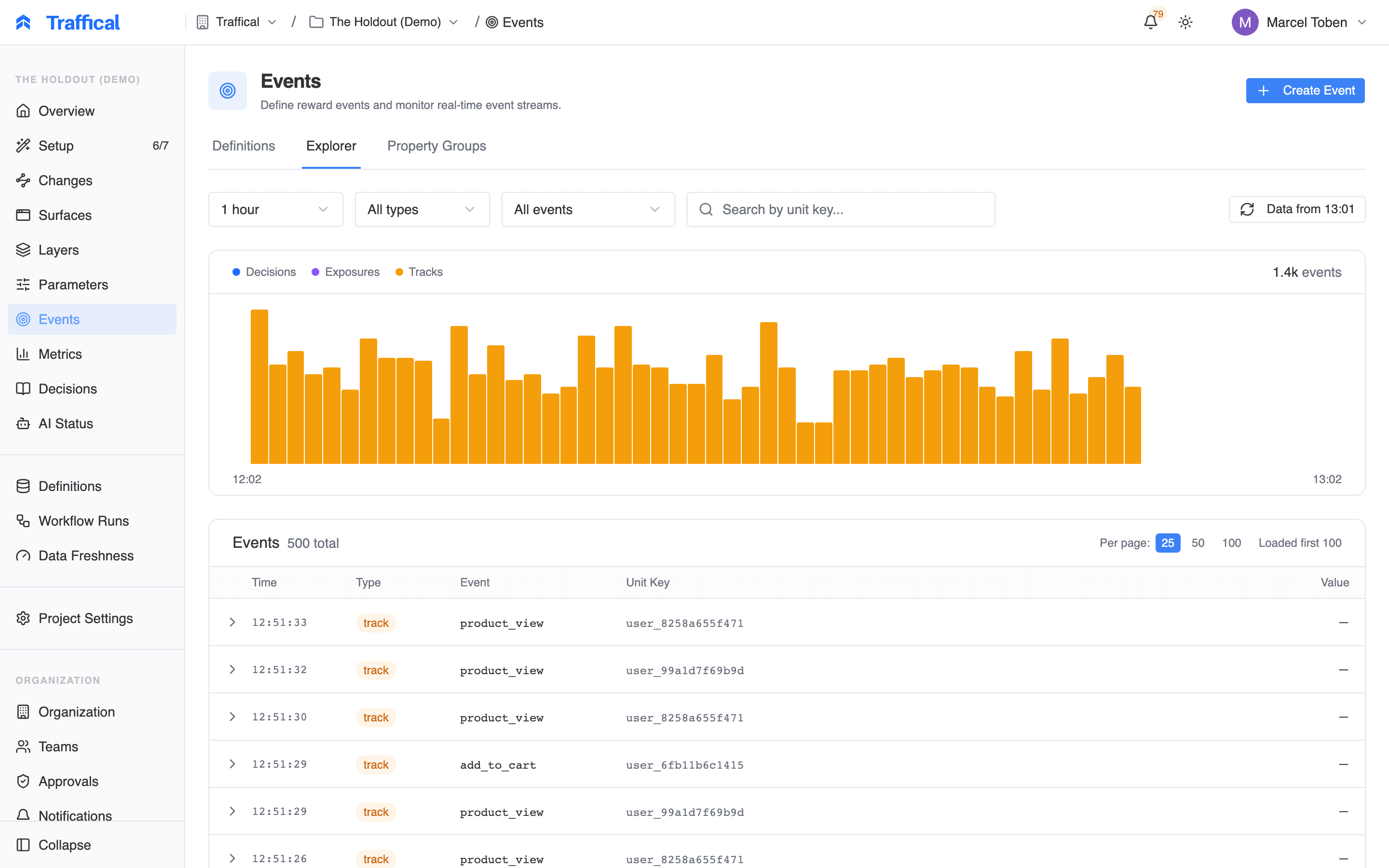
Event explorer
- Pick an event
- Filter by any property
- Group by any property marked
dimension: true - Time range
add_to_cart events came from the US last week, broken down by category?”
For deeper analysis, route the same events into your data warehouse via SDK sync and query there.
Best practices
- Define schemas as soon as an event matters. Auto-discovered events are fine in development; in production you want explicit schemas so the dashboard knows which fields are dimensions and the SDK type-checks
track()calls. - Mark dimensions explicitly. Properties used for breakdowns and metric slicing need
dimension: true. The pipeline ignores non-dimension fields for aggregation purposes. - Start with
schemaEnforcement: warn. Watch the violations tab for a week or two. When the rate is essentially zero, flip toreject.
Next steps
Type-safe events
End-to-end: YAML → CLI codegen → SDK types → edge validation.
Events concept
Exposure, decision, and track events.
Metrics
Turn events into metrics.